
The Ultimate Guide to Multi-Day Quizzes, Online Competitions, and Modern Form Architecture
Introduction: The Evolution of Online Quizzes & High-Stakes Assessments
For more than a decade, online form builders like Google Forms, SurveyMonkey, and Typeform have dominated how schools, universities, and businesses collect feedback, conduct surveys, and administer basic quizzes. While these conventional tools excel at simple one-off submissions, modern digital educators, competition organizers, and corporate trainers increasingly face severe architectural limitations when organizing complex, multi-stage events.
Consider running a 10-Day National Academic Olympiad, a month-long corporate compliance challenge, or a multi-round competitive tournament. In traditional tools, administrators are forced into cumbersome workarounds: generating 10 separate links, manually sending individual forms each morning, struggling with participants sharing question screenshots across social media, and lacking any method to prevent students from refreshing their browsers to reset timers.
SmartKit Forms was built from the ground up to solve these fundamental bottlenecks. With native support for single-link multi-day tournaments, non-repeating question pool distribution, multi-device synchronized timers, client-side anti-cheat proctoring, and proportional multi-answer scoring, SmartKit Forms transforms standard form infrastructure into a professional enterprise-grade competition engine.
In this comprehensive guide, we examine every architectural component of SmartKit Forms, provide actionable setups for educators and organizations, analyze in-depth use cases, and answer the most frequently asked questions.
1. The Multi-Day Question Pool & Daily Schedule Engine
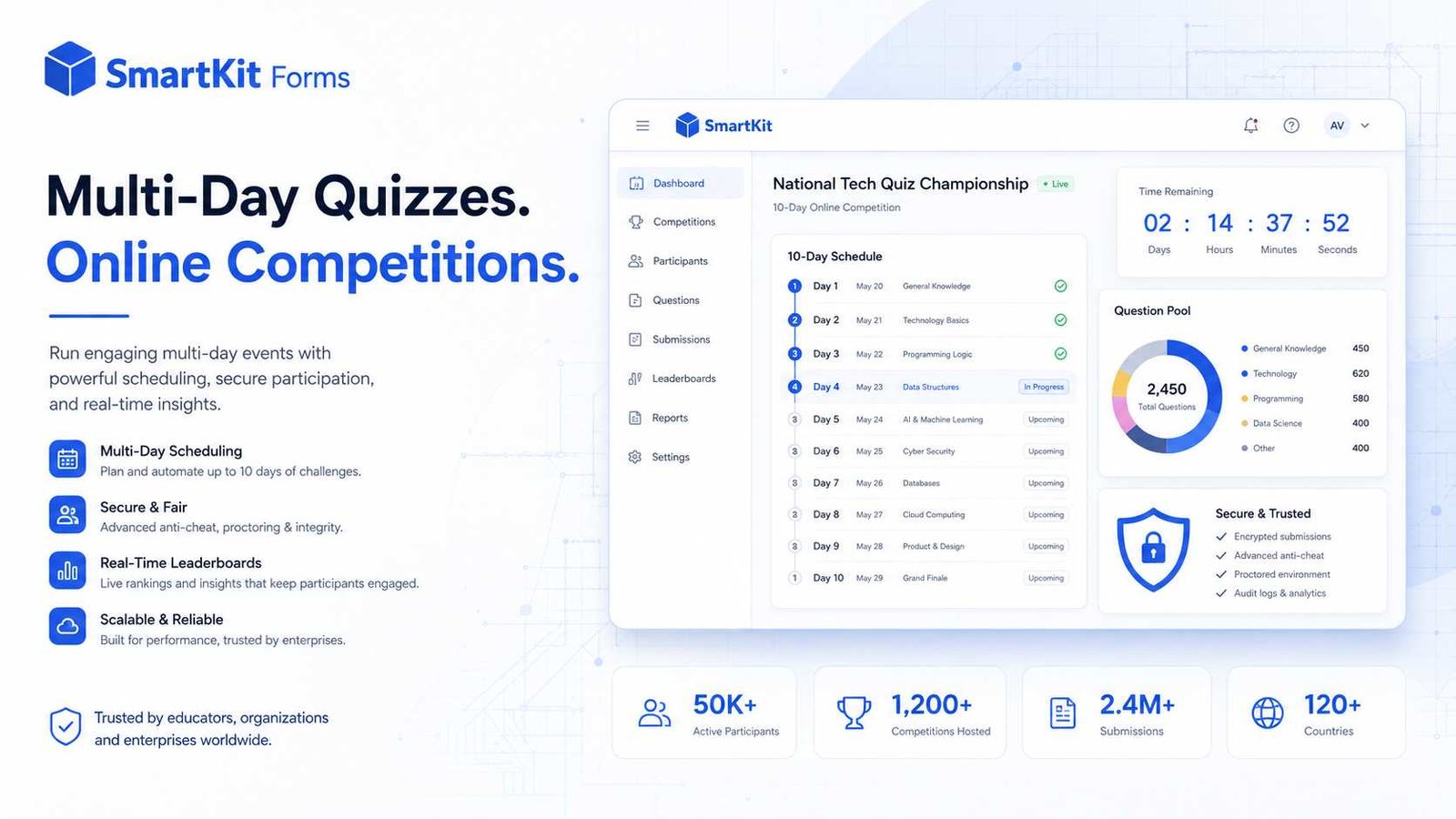
The crown jewel of SmartKit Forms' competition suite is its Multi-Day Competition Mode. Designed specifically for sustained academic competitions, certification bootcamps, and daily quizzes, this feature allows participants to engage with a multi-day event through a single unified link.
A. The Single-Link, Single-Code Experience
Rather than distributing multiple links across multiple days, organizers publish a single form link. Each participant receives a unique Registration Code (Access Code). When a participant opens the link on Day 1, they enter their registration code to access Day 1's questions. When they return on Day 2, Day 5, or Day 10 using the exact same link and code, the platform automatically determines the current active schedule window and serves that day's designated quiz.
B. Timezone-Aware Daily Start & End Schedule
Each day of the competition is governed by an independent start and end timestamp evaluated against the form's designated timezone (e.g., Asia/Dubai, Asia/Kolkata, or UTC):
- Before Day Start: If a student opens the link prior to a day's start time, the form gates access with a countdown timer indicating when the day will unlock.
- During Day Window: The quiz is active and accessible upon entering the registration code.
- After Day Deadline: Once the deadline passes, submissions are closed for that day, and the participant is advised when the subsequent day will commence.
C. Question Pool Math & 100% Unique Partitioning
One of the primary concerns of competition organizers is question repetition. If a tournament spans 10 Days and participants answer 10 Questions Per Day, the question pool requires a minimum of:
$$ ext{Minimum Pool Questions} = ext{Total Days} imes ext{Questions Per Day}$$ Example: 10 Days × 10 Questions/Day = 100 Questions in the creator's master pool.
When the pool contains sufficient questions, SmartKit Forms executes deterministic set-differencing. On Day 1, 10 randomized questions are selected. On Day 2, those previous 10 questions are strictly excluded from the student's pool. Across the entire 10-day tournament, every participant receives 100% unique, non-repeating questions with zero overlap.
D. The Smart Recycling Fallback Algorithm
What happens if a creator configures a 10-day competition with 10 questions per day, but only has 45 total questions in their question bank? Under basic randomized systems, students on Day 5 would either receive an error or a reduced quiz containing only 5 questions.
SmartKit Forms solves this with an intelligent Recycling Fallback Algorithm:
- The system first identifies and prioritizes all fresh, unseen questions in the pool.
- If fresh questions run out, it automatically pulls and randomly shuffles questions from earlier days to satisfy the daily quota.
- Guaranteed Quotas: Participants are guaranteed to receive their full daily question count (e.g. 10 questions) every single day, preventing incomplete quizzes or application crashes.
E. Cross-Device Question Paper Immutability
In competitive environments, students occasionally attempt to "re-roll" their question set by reloading the page or opening the link on a secondary device hoping for easier questions. SmartKit Forms eliminates this loophole completely:
- The moment a registration code unlocks Day $, the server records the exact question IDs and their sequence in
form_multiday_code_history. - If the student switches from their smartphone to a laptop after 15 minutes, the server detects the existing record and serves the exact same question paper in the exact same sequence.
2. High-Precision Timing Architecture
Managing exam duration across thousands of distributed remote participants requires robust synchronization. SmartKit Forms provides three distinct levels of timer enforcement:
| Timer Mechanism | Storage Architecture | Resilience & Anti-Tamper Behavior |
|---|---|---|
| Overall Client Timer | Client-side storage & DOM ticker | Ideal for low-stakes practice quizzes; auto-submits on expiration. |
| Database Cloud Timer | Server-side database table (form_timer_sessions) |
Survives page reloads, cleared browser cookies, and incognito sessions. |
| Cross-Device Multi-Day Timer | Registration code daily history (form_multiday_code_history) |
Synchronized across all phones and PCs. Switching devices resumes from remaining seconds; rejects late submissions on server. |
| Per-Question / Section Timer | Section entry logs (form_section_entries) |
Enforces speed limits per question (e.g. 45s per math problem). Locks fields on timeout and auto-advances. |
3. Comprehensive Proctoring & Anti-Cheat Protection
Administering assessments remotely without supervision often leads to rampant unauthorized collaboration and internet searching. SmartKit Forms incorporates an active client-side proctoring engine that enforces academic integrity in real time:
A. Tab-Switching & Background Detection
Leveraging the browser's visibilitychange API, the platform detects whenever a participant navigates to another browser tab, opens a new window, or minimizes their browser. A prominent warning dialog alerts the student immediately.
B. Window Blur & Multi-Monitor Monitoring
Students using dual-monitor setups or side-by-side applications to look up answers are intercepted via window.onblur. Clicking outside the assessment container triggers an immediate infraction warning.
C. Clipboard & Context Menu Lockdown
To prevent questions from being copied into search engines or AI assistants:
- Copy, Cut & Paste Interception: Keystrokes (Ctrl+C, Ctrl+V) and mouse copy actions are captured and blocked.
- Right-Click Menu Disabled: The browser's native context menu is disabled across the entire form container.
- Text Selection Dragging Blocked: Users cannot drag text out of the document into external tabs.
D. Progressive Warnings & Automated Termination
Cheating prevention follows a fair, progressive structure: students receive clear visual warnings for infractions 1 through 4. Upon the 5th violation, the platform automatically terminates the exam and forces an automated submission with the audit flag reason: cheating recorded in the administrator dashboard.
4. Proportional Scoring & Advanced Question Types
A. Proportional Scoring for Multi-Answer Questions
In standard quiz software, multi-select checkboxes are graded on an "all-or-nothing" basis: if a question has 2 correct answers and the student only selects 1, they receive 0 marks. Conversely, if no penalties exist, students can simply check all boxes to exploit the system.
SmartKit Forms introduces Proportional Scoring for Checkboxes and Dropdowns:
- Partial Credit: If a 10-mark question has 2 correct answers and the student correctly selects 1, they receive exactly 5.0 marks (50%).
- Three Correct Answers: Selecting 1 of 3 correct answers yields 3.33 marks (33.3%).
- Negative Penalty for Guessing: If any incorrect option is selected, the question scores 0 marks, ensuring students cannot game the evaluation by blindly ticking all options.
B. 15+ Field Types & Layout Controls
The builder supports short/long text, emails, mobile numbers, numbers with character constraints, file uploads, star ratings, multiple choice, multi-select dropdowns, section breaks, media cards (images and responsive YouTube embeds), and rich text callouts with WYSIWYG formatting.
C. Smart Skip Logic & Conditional Branching
Sections can branch dynamically based on participant responses. For example, selecting "Level 2" on Question 1 can automatically jump the candidate to the advanced section, bypassing foundational modules.
5. Real-World Use Cases
Use Case 1: 10-Day National Academic & Quran Olympiad
Scenario: An educational organization runs an annual 10-day competition for 5,000 students across the Middle East and South Asia, with 10 questions delivered daily between 5:00 PM and 8:00 PM GST.
Solution: The organizer enables Multi-Day Mode with 10 Days and 10 Questions/Day. A master pool of 120 questions is added. 5,000 unique registration codes are generated and emailed to participants. Each evening during the scheduled window, students log into the single link, answer their 10 unique daily questions, and submit. On Day 10, the platform automatically tallies cumulative scores and issues personalized PDF achievement certificates.
Use Case 2: Multi-Stage Corporate Hiring & Technical Screening
Scenario: A technology company conducts a 3-day hiring evaluation for software engineering candidates: Day 1 covers algorithms, Day 2 architecture, and Day 3 database design.
Solution: The recruiter sets up a 3-day scheduled assessment. Candidates use their unique applicant code. Anti-cheat proctoring is enabled to prevent candidates from pasting AI-generated solutions. Per-question timers ensure candidates cannot spend more than 2 minutes per technical question. Late submissions are rejected by the server, providing an impartial benchmark across all candidates.
Use Case 3: University Timed Midterm Exams
Scenario: A university professor needs to administer a 60-minute midterm exam to 300 students remotely without human proctors.
Solution: The professor enables Cloud Timer with a 60-minute ceiling and activates Anti-Cheat mode. If a student's laptop crashes or battery dies, they open the exam on their tablet; the server recognizes their access code and resumes the countdown from the exact remaining minutes. Tab switching and copy-paste are blocked, ensuring test integrity.
Use Case 4: 30-Day Daily Corporate Compliance & Wellness Trivia
Scenario: A multinational enterprise wants to boost employee compliance awareness by hosting a month-long daily trivia challenge with 3 questions served every morning.
Solution: Employees use their corporate email or employee ID code. Because SmartKit Forms automatically manages daily question exclusion, employees never see duplicate compliance scenarios. The dashboard provides human resources with daily participation tracking and team leaderboards.
6. Frequently Asked Questions (FAQ)
Q1: Can a participant reload the page to get different questions on a multi-day quiz?
No. The first time a participant enters their registration code for that day, their randomized question paper is recorded in the database. Every subsequent reload or device switch serves the exact same questions in the exact same sequence.
Q2: What happens if a participant starts the quiz on their phone and switches to a computer?
SmartKit Forms handles device transitions seamlessly. When the participant enters their registration code on the second device, the platform restores their exact question paper and calculates the remaining timer duration based on the original server start time. The timer will not restart.
Q3: What if my question pool has fewer questions than the total days requirement?
SmartKit Forms features an automatic Recycling Fallback Algorithm. The system serves all fresh, unseen questions first. Once the fresh pool is exhausted, it automatically recycles and shuffles older questions from earlier days so participants always receive their complete daily quota of questions.
Q4: How does proportional scoring work on multiple-choice questions?
If a question is worth 10 marks and has 2 correct options, selecting 1 correct option awards 5 marks (50%). However, if the participant selects any incorrect option, the question scores 0 marks to deter random guessing.
Q5: What happens when a student violates anti-cheat rules?
Minor infractions (such as tab switching, losing window focus, or attempting to copy text) trigger an immediate warning dialog. If a participant reaches 5 cumulative infractions, the platform automatically terminates the assessment and auto-submits their answers with a cheating flag in the admin dashboard.
Q6: Can I set different time limits for each question?
Yes. Through Section Timers, you can assign individual time limits (in seconds) to specific questions or sections. When the time for a section expires, the platform locks those inputs, awards zero for unanswered fields, and auto-advances the student to the next section.
Q7: Can SmartKit Forms generate certificates automatically upon quiz completion?
Yes. SmartKit Forms integrates directly with CertificateKit. Creators can set a passing score threshold (e.g. 70%). Upon achieving passing marks, the participant can immediately download a professionally rendered, verifiable PDF certificate with their name, score, and completion date.
Conclusion: Setting Up Your First Multi-Day Competition
Organizing scalable, secure, and professional online competitions no longer requires complex custom software or expensive proctoring services. By uniting multi-day scheduling, intelligent pool randomization, synchronized timers, and active anti-cheat defenses into a single platform, SmartKit Forms delivers an unmatched assessment solution for educators, institutions, and enterprises worldwide.
To create your first competition, log in to your SmartKit dashboard, create a new Quiz form, enable Multi-Day Mode in Form Settings, and configure your daily schedule. Your participants will enjoy a seamless, fair, and engaging competition experience from Day 1 to the finish line.